How to Play Spacebar Clicker: Beginner Guide & First 10 Minutes Strategy
If you just opened Spacebar Clicker on your screen and wonder what is the point of this game or how to get high score without wasting hours, this guide explains everything simple. You don't need to read complicated gamer terms. Here is how the game works, what to do in your first 10 minutes, and the big mistakes that slow down new players.
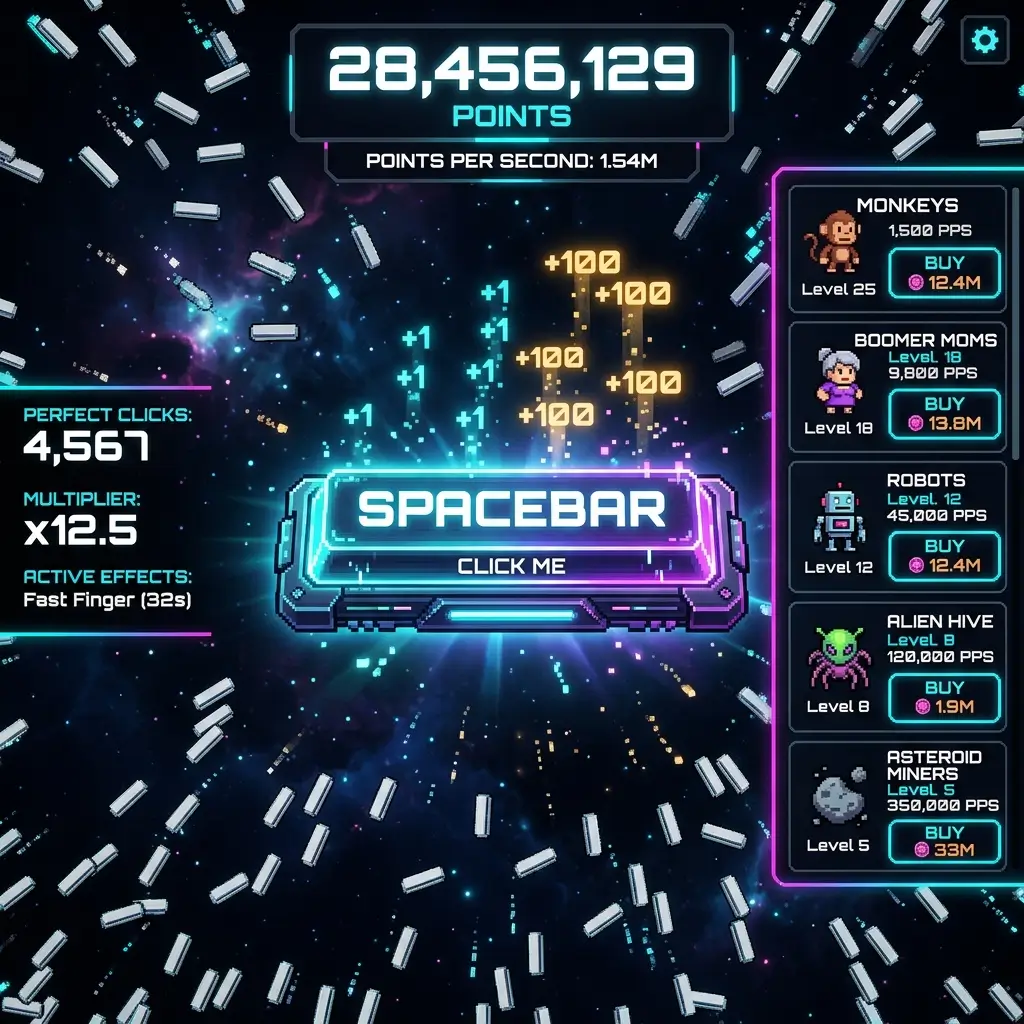
Guide Sections
1. Game Basics: How Spacebar Clicker Works
Spacebar Clicker is a very simple incremental idle game. You press the SPACEBAR key on your keyboard, or you click/tap the big button on screen. Every press gives you 1 point at the start.
When you get enough points, helper items appear on the right side of the screen. You spend points to buy helpers like Monkeys, Boomer Moms, Gen Z Kids, or Robots. These helpers click the spacebar for you automatically, so you earn points every second even when your hands are not touching the keyboard.
Your game progress is saved inside your browser local storage. You can close the tab or computer, and when you open the site again, your score and helpers are still waiting for you.
2. First 10 Minutes Strategy (Step-by-Step)
The first 10 minutes of Spacebar Clicker are the most important. If you buy the wrong things, the game feels slow. If you do this order, you will unlock millions of points very fast:
Minute 0 to 2: The First 30 Points
Put your index and middle finger on the spacebar and tap fast. Press it 30 times until your counter says 30. As soon as you hit 30, the Monkey upgrade shows up. Click it to buy your first Monkey immediately. Now your points go up by 0.2 every second automatically.
Minute 2 to 5: Get 3 Monkeys, Then Stop!
Keep clicking while your first Monkey works. Buy a 2nd Monkey (costs 33) and a 3rd Monkey (costs 36). Now you earn about 0.6 points per second. Stop buying Monkeys now! A big mistake is buying 10 or 20 Monkeys. Monkeys only give 0.2 points each, which is too weak. Save your points for the next tier.
Minute 5 to 8: The Boomer Mom Jump
Click your spacebar until you collect 120 points. Buy Boomer Mom. Boomer Mom gives 3.0 points per second. That is 15 times stronger than a Monkey! Once you have 1 Boomer Mom, getting points becomes much easier. Buy 2 or 3 Boomer Moms. Now you generate around 10 points every second without doing anything.
Minute 8 to 10: Unlocking Gen Z Kid & First Keyboard Upgrade
Now save 500 points to buy Gen Z Kid (gives 20 points per second). With 2 Gen Z Kids and your Boomer Moms, your points-per-second is around 50 PPS. Now you can save up for your first Keyboard Upgrade (costs 6,000 points) or buy Angry Influencer (costs 10,000 points, gives 150 PPS).
Want to see the exact stats and prices for all helpers? Check our complete Spacebar Clicker Upgrades Guide: Best Order & Last Upgrade.
3. Common Mistakes Most Players Make
We see many players get stuck in the game because of these simple mistakes:
Mistake 1: Buying too many Monkeys
Because Monkeys are the first upgrade, new players keep clicking Monkey every time they have 50 or 60 points. But remember each Monkey gets 10% more expensive. A level 15 Monkey costs over 115 points and still only gives 0.2 points per second! Boomer Mom costs 120 and gives 3.0 points per second. Never buy more than 5 Monkeys in early game.
Mistake 2: Buying Keyboard Upgrade when your score is too low
Keyboard Upgrade costs 6,000 points. If your passive income is only 5 points per second, saving 6,000 takes you 20 minutes of boring waiting. It is much better to buy Gen Z Kids first so your income reaches 40 or 50 points per second. Then saving 6,000 takes only 2 minutes.
Mistake 3: Putting the game in a hidden background tab
Modern web browsers like Google Chrome, Safari, and Microsoft Edge have battery saver features that slow down tabs when you switch to another window. If you minimize or hide the game tab, the game loop runs slower. If you want full points speed, keep the game tab visible in half of your screen.
Mistake 4: Not knowing your finger clicking speed
If you don't know how fast you click, you won't know if Active Clicking or Idle AFK is better for you. Before you start grinding, test your clicking speed with our free Spacebar Click Test. If you can click 8 to 12 CPS, Keyboard Upgrades will make you super rich.
Mistake 5: Skipping the Laser Machine Gun
When you reach mid game, Laser Machine Gun costs 2,000,000 points and gives 25,000 points every second! That pays for itself in only 80 seconds. Many players save straight for 10 Million Nuclear Blast Gun and skip Laser Gun. Don't do that — buy 2 or 3 Laser Guns first to make your bank explode.
4. Active Clicking vs Passive AFK Income
In Spacebar Clicker, there are two ways to earn score:
- Active Clicking: You press spacebar with your fingers. This is boosted ONLY by Keyboard Upgrades. If you have 3 Keyboard Upgrades, 1 click = 8 points. If you have 6 Keyboard Upgrades, 1 click = 64 points! Active clicking is the fastest way to get huge bursts of points in 30 seconds.
- Passive AFK Income: This comes from your 9 helper tiers (Monkeys, Boomer Moms, Gen Z Kids, Influencers, Gamers, Robots, Lasers, Nuclear Guns, Alien Tech). They add to your "per second" score permanently. This is best if you want to leave the game open while doing homework or working.
The best players combine both: let passive helpers generate points while you drink water, then use Keyboard Upgrades to smash the spacebar when you need that last 100,000 points for the next tier.
5. Secret Tips to Get Points Faster
- Two-Finger Technique: Put your index finger and middle finger on the spacebar and press them like you are walking. This is called butterfly clicking and can double your clicking speed from 5 CPS to 10+ CPS.
- Spacebar + Mouse Click Combo: The game lets you press the physical keyboard spacebar AND click the on-screen spacebar button with your mouse at the same time. If you use both hands, you get twice as many clicks per second!
- Refresh if game gets laggy: When you buy millions of PPS, spacebars rain all over the screen. If your browser starts feeling slow after few hours, just press
F5to refresh. Your progress is saved in localStorage and the lag will disappear.
6. Frequently Asked Questions
What is the best first upgrade to buy?
The Monkey is always the first buy at 30 points so your counter starts ticking by itself. But after 3 to 5 Monkeys, immediately switch to Boomer Moms (120 points) because they give 15 times more points per second.
How do Keyboard Upgrades work?
Every Keyboard Upgrade doubles your manual spacebar press. 1 upgrade = 2 points per click, 2 upgrades = 4 points, 3 upgrades = 8 points, and so on. They stack multiplicatively.
What is the last upgrade in the game?
The final upgrade is the Alien Tech Key Pressing Machine. It costs 80,000,000 points and gives 1,000,000 points every second. See all details in our Upgrades Guide.
Can I play on my phone or tablet?
Yes! Spacebar Clicker works great on mobile. Just tap the big spacebar button on the screen with your thumb. All upgrades and saves work identical to computer.
How do I test how fast I can press spacebar?
You can use our free tool on this site: Spacebar Click Test. It counts your clicks in 5, 10, 30, or 60 seconds and shows your CPS rank.
Ready to Test Your Clicking Power?
Now that you know the best 10 minutes strategy, jump in and start clicking your spacebar empire.
PLAY SPACEBAR CLICKER NOW →